

How to protect GitLab CI/CD secrets from leaks via forks and insecure pipelines
Independent IT and information security expert Andrei Biryukov explained how to secure GitLab CI/CD secrets: combine masked and protected flags, restrict CI_JOB_TOKEN, and use Vault or OIDC.
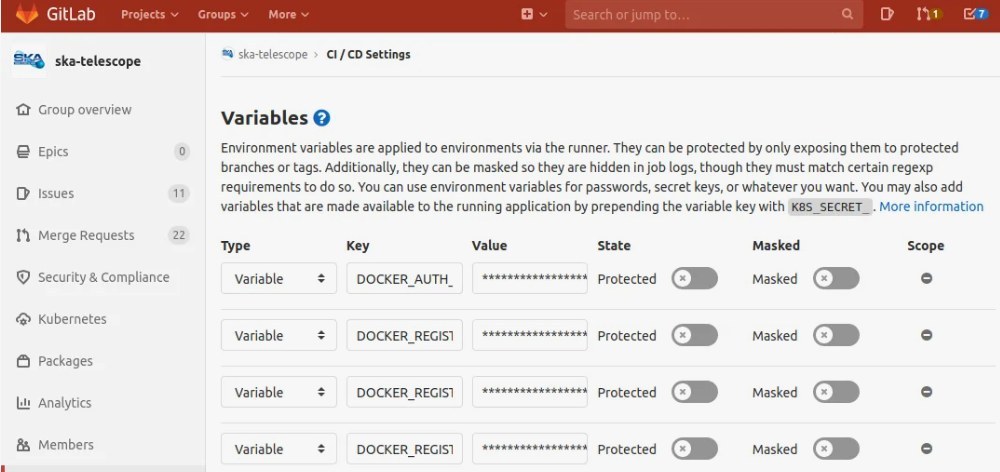
A GitLab pipeline executes code with elevated privileges: jobs receive project variables and CI_JOB_TOKEN. If settings are misconfigured, secrets may end up in an unverified branch or fork via a modified .gitlab-ci.yml file.
The masked flag hides the value in logs but does not restrict access. The protected flag passes the variable only to pipelines from protected branches and tags. Therefore, both flags are necessary for secrets, and for production, environment binding is also required. A masked value must contain at least eight characters and have no line breaks; base64 encoding may not be recognized by this protection.
Variables at the instance, group, and project levels can unexpectedly override each other. CI_JOB_TOKEN access in settings should be granted only to necessary projects. For production database keys, cloud accounts, and payment systems, Biryukov recommends an external secrets manager, such as HashiCorp Vault. GitLab sends a JWT to Vault, and the Vault role must verify the project and the protected flag. For PostgreSQL, Vault can issue temporary credentials with a TTL of 15 minutes.
Cloud access can be configured via OIDC without permanent keys. In the example with Yandex Cloud, the service account federation verifies GitLab’s JWT and issues a temporary IAM token. When configuring, it is important not to confuse the federation’s audience with the service account ID.